Capture Forms
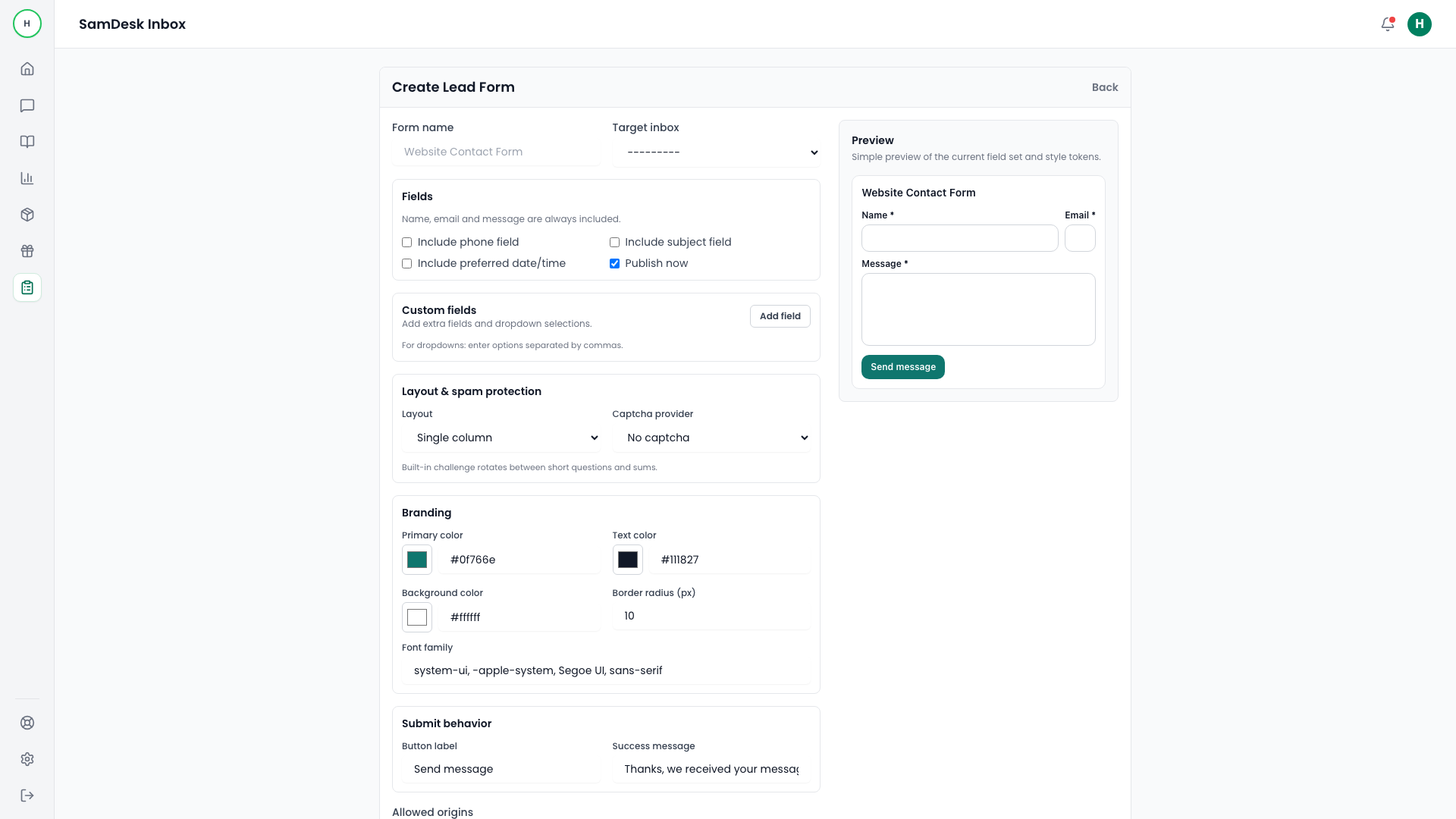
Build a capture form
Create and publish public lead/contact forms with secure embed controls.
Samdesk execution pattern
Use this checklist for consistent case execution:
- Define owner and expected outcome before taking action.
- Work in fixed sequence: triage -> action -> validation -> follow-up.
- Log key decisions briefly so handoffs and escalations stay clean.
Goal
Capture leads and inquiries in a structured format ready for support follow-up.
What a capture form is
A capture form is a public web form that turns visitor questions into structured entries in your support tool: name, email, order number and the question itself land as a ticket with an owner, instead of scattering across a shared inbox. That is the difference between a form capture tool and a plain contact form: every submission becomes traceable, assignable and measurable work.
Steps
- Open
Capture. - Create a new form.
- Configure fields, validation, and allowed origins.
- Publish and embed on your website.
What makes a capture form work
Ask for the minimum that lets an agent answer: name, one contact channel, and the fields your team actually looks up (for a shop: order number). Every extra field costs submissions. Write the field labels the way customers phrase things, show a confirmation message that sets the expectation for a reply, and place the form where the question arises — on contact, returns and status pages rather than only in the footer.
Quality checks
- Run a real staging submission.
- Verify ingest endpoint delivery.
- Confirm contact payload maps correctly in Samdesk.