Unified Inbox
What it does: brings email, chat, and order-linked conversations together in one view.
How to use: connect your inboxes, then filter by status, assignee, or priority.
AI customer support platform for ecommerce
SamDesk combines email, chat, order data, and AI draft replies in one workspace so your support team can answer faster in every language.
Built for ecommerce helpdesk operations, multilingual support, and AI-assisted replies.
What it does: brings email, chat, and order-linked conversations together in one view.
How to use: connect your inboxes, then filter by status, assignee, or priority.
What it does: generates answer drafts from customer context and approved knowledge.
How to use: click generate, review the draft, then approve, edit, or regenerate.
What it does: translates full conversations and single messages for international support.
How to use: choose a target language and open the translated view from the conversation panel.
What it does: converts conversations to tickets with assignment, labels, comments, and status tracking.
How to use: open a conversation, create or link a ticket, then track it in the tickets board.
What it does: sends review invitations automatically after resolved conversations using inbox and integration routing.
How to use: create templates per language, map routing rules, then run test sends before enabling live delivery.
What it does: syncs customer orders so agents can resolve support requests with full order context.
How to use: connect a store in integrations and trigger syncs from the integration panel.
What it does: crawls and curates site content that powers AI answer quality.
How to use: run scans, review documents, approve trusted content, and reindex when needed.
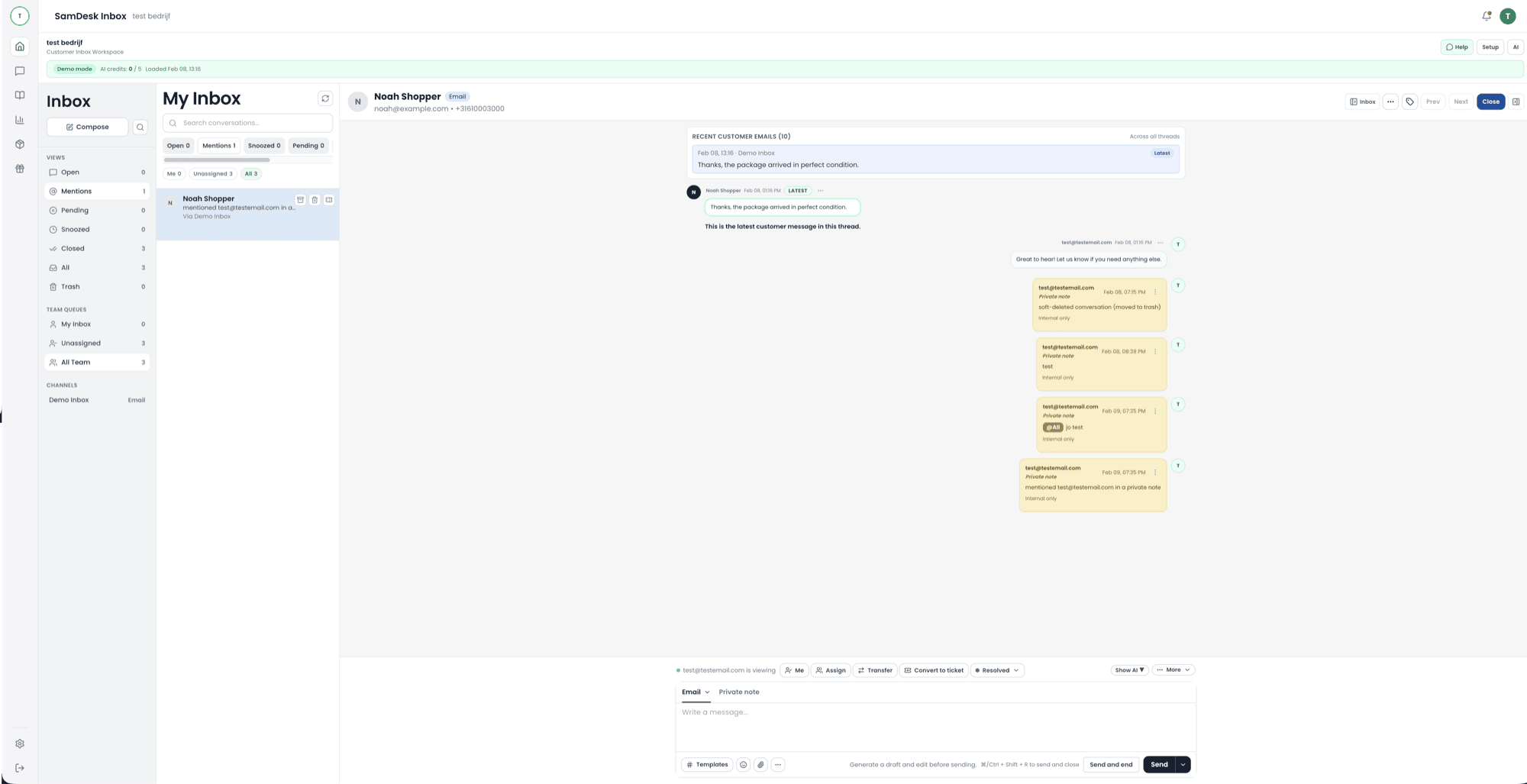
Keep private notes, mentions, and full thread context in one place so handoffs stay clear and fast.
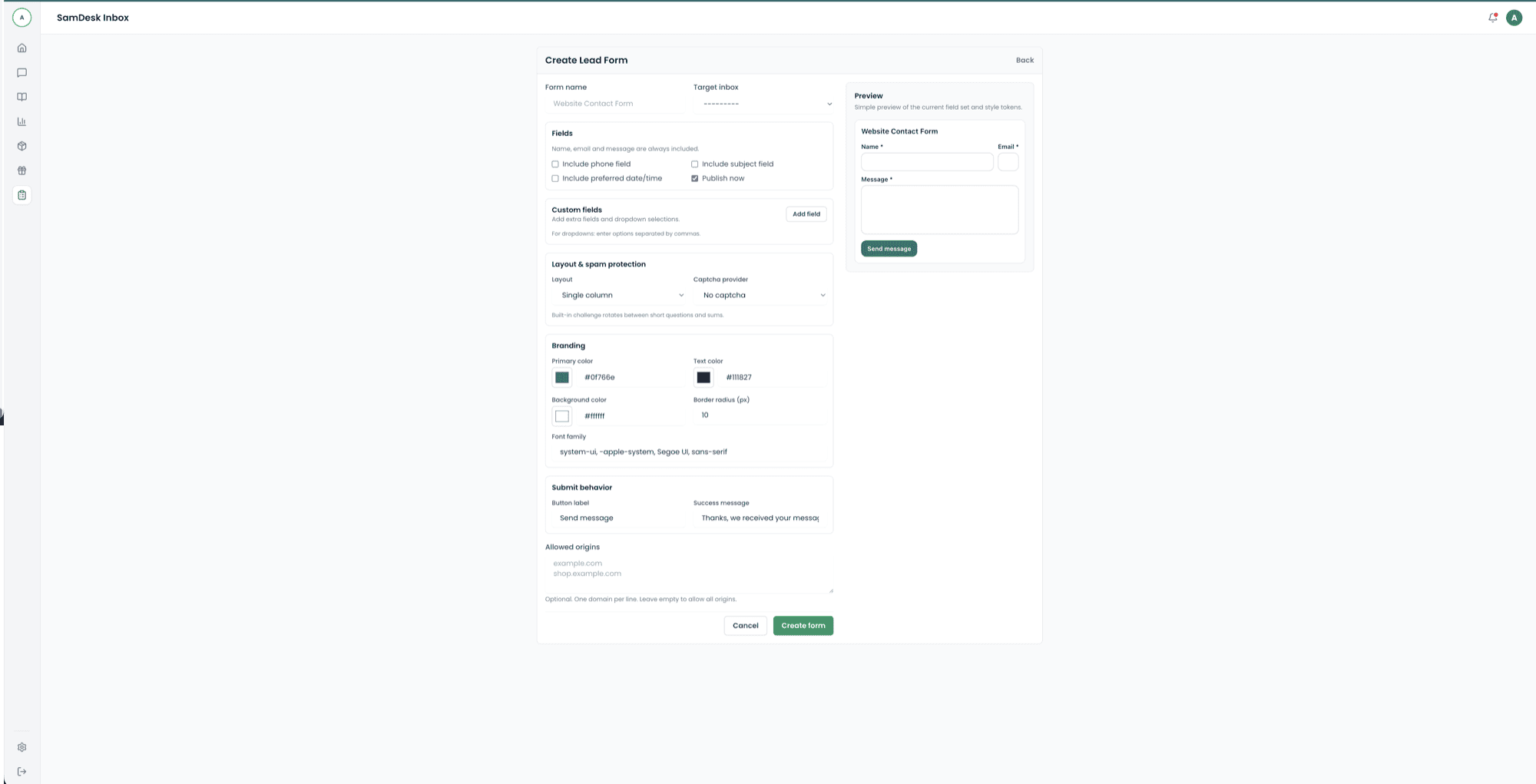
Design branded lead and contact forms, embed them on your website, and route every submission directly into SamDesk.
Explore high-intent CRM, helpdesk, and ticketing topics for ecommerce support teams.
freshdesk alternative
front alternative
gladly alternative
gorgias alternative
helply alternative
help scout alternative
hubspot alternative
intercom alternative
Use these tool clusters to respond faster, reduce repeat contacts, and keep support quality predictable.
Plan staffing and forecast SLA risk before queue pressure escalates.
Standardize order-status updates and escalation replies by scenario.
Reduce friction with clear instructions, approvals, and refund updates.
Move from acknowledgement to final resolution with consistent case communication.
See how SamDesk works on desktop for fast, consistent, and scalable customer support.
On desktop, your team can move faster between inbox, context, and tickets with minimal click friction.
Working on the go or away from your desk? SamDesk keeps triage, replies, and resolution fast on mobile.
Compact mobile workflow in SamDesk.
Open inbox, prioritize urgent conversations first, and update threads from one consistent mobile flow.
Looking for samdesk.com, the Canadian crisis-alerting and risk-detection service? That is a different company, unrelated to this site.
Launch your AI-powered ecommerce helpdesk on SamDesk.
Create your account
Want to connect SamDesk to your workflow or need help choosing the right setup? Message Sam on WhatsApp or email [email protected].