What does CRM mean?
CRM stands for customer relationship management: managing the relationship with your customers, backed by a shared record of who they are, what they bought, and what has been discussed. The term covers both the practice and the system that stores the data. In a software conversation, people almost always mean the system.
A widely used model describes four steps every CRM effort goes through: identify customers, differentiate between them, interact at the right moment and channel, and customise your offer and service based on what you learned. It is a way of thinking, not a rulebook, and the payoff sits in that last step — which is exactly where most teams stall, because the knowledge stays locked inside support.
Which types of CRM exist?
CRM systems are usually grouped into three types. The split helps when choosing: most teams assume they need all of it, while one type carries the daily work and the rest is supporting cast.
Operational CRM
The execution layer: logging contact moments, following up deals or tickets, assigning tasks. This is what your team keeps open all day.
Analytical CRM
The numbers side: building segments, calculating customer value and churn risk, tracing campaign results back to customer groups.
Collaborative CRM
The sharing part: marketing, sales, and support look at the same customer record, so yesterday’s complaint does not sabotage today’s campaign.
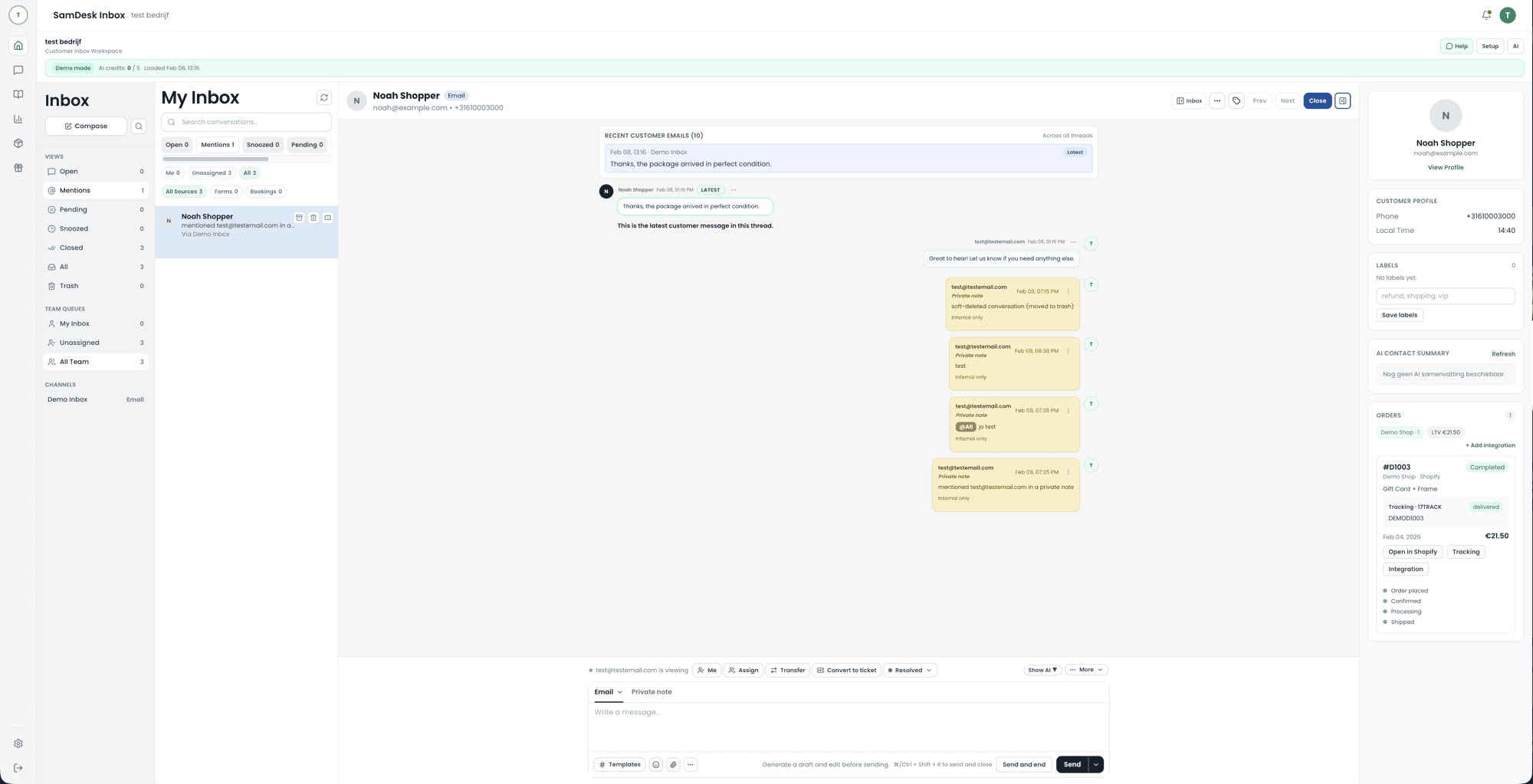
The labels you see in the market are variations on these. A sales CRM is operational CRM around a pipeline. A marketing CRM emphasises the analytical side plus sending channels. A support CRM, which is where SamDesk sits, is operational CRM around conversations: the customer record hangs off the message arriving right now. For a small ecommerce team that is often the only CRM anyone opens daily, and therefore where the customer data is most complete.
CRM and marketing: why they belong together
Marketing without CRM data is broadcast. With CRM, you run on segments, lifecycle, and behavior. Simple rule: the better you understand product/support, the less discount you need.
The 10x marketing CRM checklist
- One CRM database: contact + orders + conversations + tickets
- Segments that drive actions (VIP, return risk, inactive)
- Lifecycle flows: post-purchase, review, winback
- Feedback loop: support tags → campaigns → fewer tickets
- Measure: retention, repeat rate, returns, CSAT
CRM data: the fields you actually need
Identity + value
LTV, AOV, #orders, return rate, VIP flag.
Behavior + signals
Recency, browse/buy, complaint tags, sentiment, churn risk.
Support context
Top 3 issue categories, open tickets, CSAT trend.
Marketing permissions
Consent/opt-in, channel preference, language, last-touch.
What is a customer database?
A customer database is the collection of everything you know about your customers: name and contact details, orders, returns, marketing consent, and the conversations you have had. The difference from a loose spreadsheet is not the term but the source: a customer database filled automatically from your ticket inbox, orders, and campaigns stays current; a list someone updates by hand is outdated by the next peak. Klantenbestand, klantendatabase, and CRM-database are used interchangeably in Dutch; they point to the same thing: one place where customer data comes together and becomes usable.
Want to revisit the basics? Our page on what CRM is collects the definitions; this page covers what you do with them in marketing.
Support data as a marketing database
Combine order history, question types, contact moments, and satisfaction. That gives you useful segments such as frequent return customers, VIP customers based on order value, and churn-risk customers with repeat complaints or low satisfaction.
Do not reuse support data for marketing automatically. Store consent per channel and include only customers who have agreed to that marketing use.
CRM database → campaigns: 6 concrete segment ideas
- VIP: early access + concierge support (no discount needed)
- High return risk: sizing guide + product advice + proactive shipping updates
- New → second purchase: cross-sell based on first order
- Inactive 60–90 days: winback with value instead of discount
- High ticket volume: fix root cause + send update (build trust)
- Review ask after resolved ticket: time it based on CSAT signal
Retention: what it means and what a retention action looks like
Retention is the share of customers who stay: people who buy again, renew, or simply do not leave. It is the mirror image of churn. What “staying” means is something you define yourself, because without a subscription there is no cancellation moment. In ecommerce you usually pick a window — does someone buy again within X months — and that window has to match your products.
A retention action is an intervention aimed at stopping a specific group from leaving. The difference with a regular campaign is the trigger: you react to a signal, not to the calendar. Four examples that come out of support data rather than a marketing plan:
- After a complaint that dragged on. Not a discount code, but a message from the agent who fixed it, explaining what changed structurally.
- After a return for the wrong reason. Wrong size or wrong expectation calls for better advice, not a repeat offer of the same item.
- On silence after a first purchase. The second order is the hardest one. Send what the customer does not yet know about the product they already own.
- On high value with falling satisfaction. This is the group where a phone call beats an email, and where you can afford one.
Discounting is the easiest retention action and the most expensive one. Once customers learn that leaving triggers an offer, you buy the same customer back every year. Use it only after the non-financial interventions failed, and measure both separately.
Segmenting: which criteria you can cut on
The classic marketing split lists four kinds of segmentation criteria: geographic, demographic, psychographic, and behavioural — what someone actually did: bought, returned, opened, complained.
For ecommerce the fourth is by far the most useful, and the only one you do not have to ask about or guess. Refined segments appear when you combine behavioural traits rather than stack them: “made a second purchase” says little, “made a second purchase and contacted us once about delivery” is a group you can say something specific to.
Keep two practical limits. A segment must be large enough to see a difference and small enough to justify its own message; if you cannot write the copy differently from the rest of your list, it is a filter, not a segment. And any segment used for direct marketing — email, SMS, WhatsApp to your own list — needs consent per channel, even when the data came from a support conversation. This is not legal advice.
The three phases where CRM has a job
Marketing models split the customer journey in different ways — sometimes awareness, consideration and decision, sometimes in four or five steps. For CRM the most workable split is acquire, convert and retain, because each phase needs a different kind of data. The CRM only becomes your main source in the second and third phase; in the first you do not yet know who is looking.
| Phase | What you want to know | What the CRM contributes |
|---|---|---|
| Acquire | Which channels deliver customers who stay, not just customers who click. | Linking source back to who ordered a second time. |
| Convert | Where people drop out and which question they asked just before. | Pre-purchase support questions, which usually describe your objections verbatim. |
| Retain | Who goes quiet, who complains and who returns unprompted. | Order history plus complaint history in one view; here the CRM is the only source. |
Note the asymmetry: the first phase usually gets the budget and the third gets the leftovers, while the third is the only one whose data you already own.
Common mistakes
CRM data ≠ marketing data
Without support/order context, segmentation stays shallow.
Too many tools
Data fragments and teams lose trust in the numbers.
FAQ
What is marketing CRM?
Using CRM to drive segments, lifecycle, and personalization based on customer behavior and context.
What do you use a CRM database for in marketing?
For segmentation, winback, retention, and translating support signals into campaigns.
What are the best CRM systems?
There is no fixed top 10: the lists you find differ per year, per source, and per business model of the site publishing them. Your own shortlist is more useful. Start with the team that has to open the system daily, look at which data that team currently looks up in another screen, and test whether the system removes that screen. A CRM nobody opens voluntarily never becomes the source of truth, however high it ranks.
What is the difference between a CRM and marketing automation?
What are the four basic principles of CRM?
Identify, differentiate, interact and customise — the IDIC model. For marketing the third step matters most: if contact moments from different channels do not land on the same customer, you are segmenting on half a picture. The four principles are worked out on the CRM page.
What is database marketing?
Database marketing is marketing that starts from your own customer base instead of a random audience: you select who receives a message based on what you know from past purchases, questions, and consent. In practice it comes down to three steps: keep customer data in one place, pick a segment with a real trigger (a completed return, a birthday, a category someone buys repeatedly), and send that group a message that fits the trigger. Without registered consent per channel, it is not database marketing but a gamble with your sender reputation.
How do you use support data for remarketing?
Only with consent, and with a reason that fits. Customers who had a complaint and were satisfied afterwards respond better to an apology discount than to a random offer; customers with an open return have no use for a cross-sell but do appreciate help with that return. Build the campaign from your own fields: issue category, ticket status, CSAT, and per-channel consent. Without registered consent, use the data for support follow-up only and not for remarketing.
How do you measure marketing attribution in a CRM?
By giving every touchpoint a source and storing it at the customer level: from first contact (source of the first touch), through intermediate touches, to the final interaction before the order. Single-click attribution (“last click”) is simple but ignores everything before it; a support ticket that built trust then shows up nowhere. Work with at least two lenses — first touch and last touch — and compare which channels make the difference for your customers in between. Keep in mind that sources like personal recommendations and direct repeat visits do not assign themselves automatically.
What are the four forms of marketing?
The term is used loosely. Most often it means the marketing mix, the four P’s: product, price, place and promotion. Other sources count markets (B2B, B2C, B2G, C2C) or channels (online, offline, direct, indirect). For CRM the count matters less than which of the four you can steer with customer data — in practice mainly promotion and price, since product and place rarely sit with marketing.
What is the difference between a CRM and marketing automation?
The CRM stores who the customer is and what happened; marketing automation sends messages based on that, following rules. Many suites do both, but the question that matters is which way the data flows. If your sending tool can read segments but writes nothing back, the customer record stays incomplete and support cannot see that someone received a winback email last week.
Ready to actually use your CRM data?
Connect CRM to support signals and build retention flows that reduce tickets.
Create your account
Need help with implementation?
Want to connect SamDesk to your workflow or need help choosing the right setup? Message Sam on WhatsApp or email [email protected].