Routing
Send questions to the right queue based on topic, priority, or channel.
Support workflows
Automation works when agents can see what happens, steer the flow, and offload only routine work. SamDesk automates status, routing, templates, and draft replies with human control as the baseline.
Send questions to the right queue based on topic, priority, or channel.
Show what is new, waiting, solved, or escalated.
Use structured replies for returns, delays, and complaints.
Let agents check tone, context, and resolution before sending.
Start with high-volume tasks that have limited nuance: acknowledgements, status updates, return instructions, categorization, and internal handoff. Keep complaints, exceptions, and sensitive conversations visible for human review.
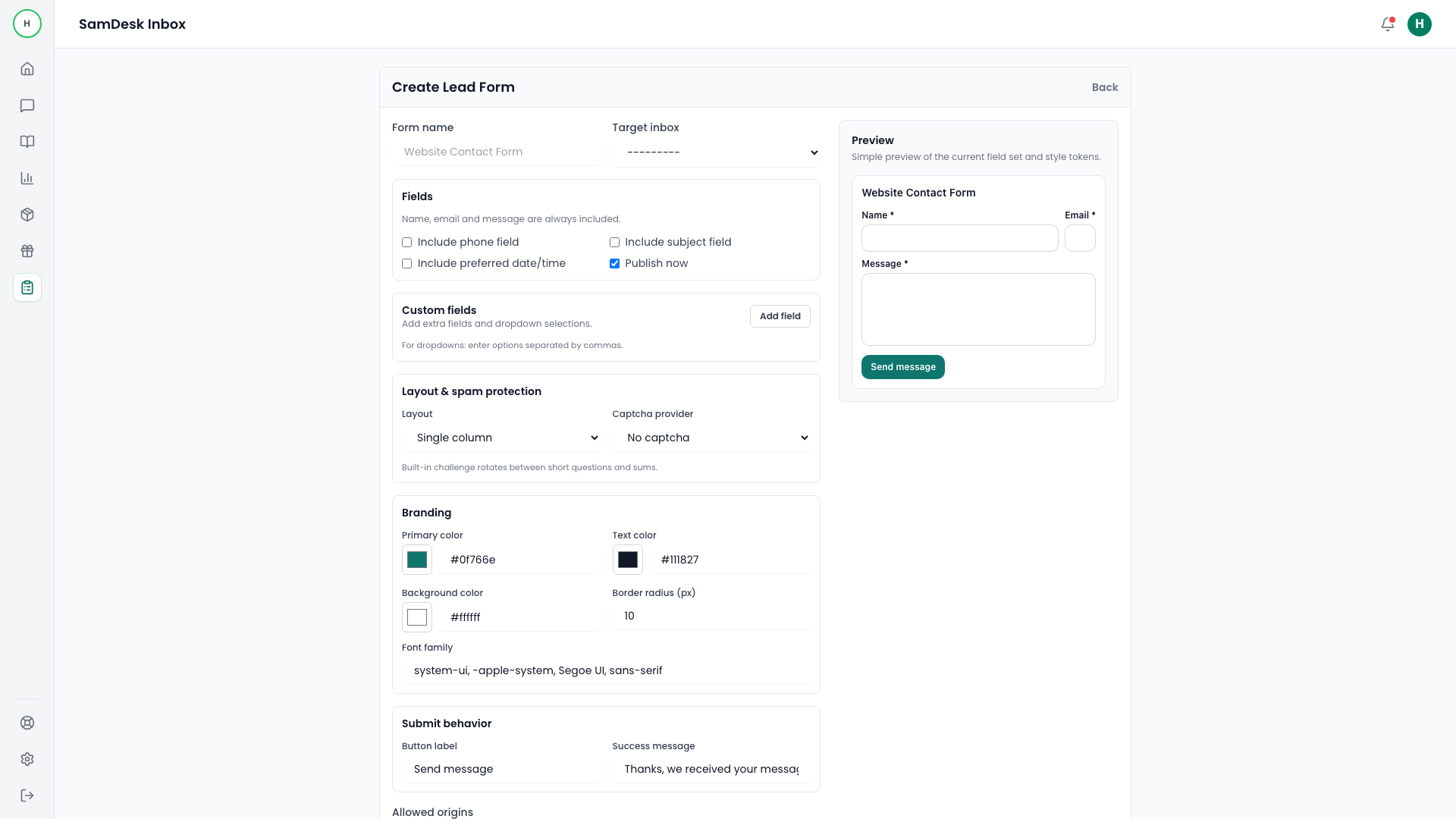
The cheapest automation sits before the conversation. A form on your site asks for the details you would otherwise have to chase by email, and drops the question into the right inbox — structured, with spam filtering applied.
Then use KPIs to see where automation helps. Our support KPI calculators, SLA risk calculator, and ecommerce helpdesk page help you prioritize.

Want to connect SamDesk to your workflow or need help choosing the right setup? Message Sam on WhatsApp or email [email protected].