CRM definition (plain English)
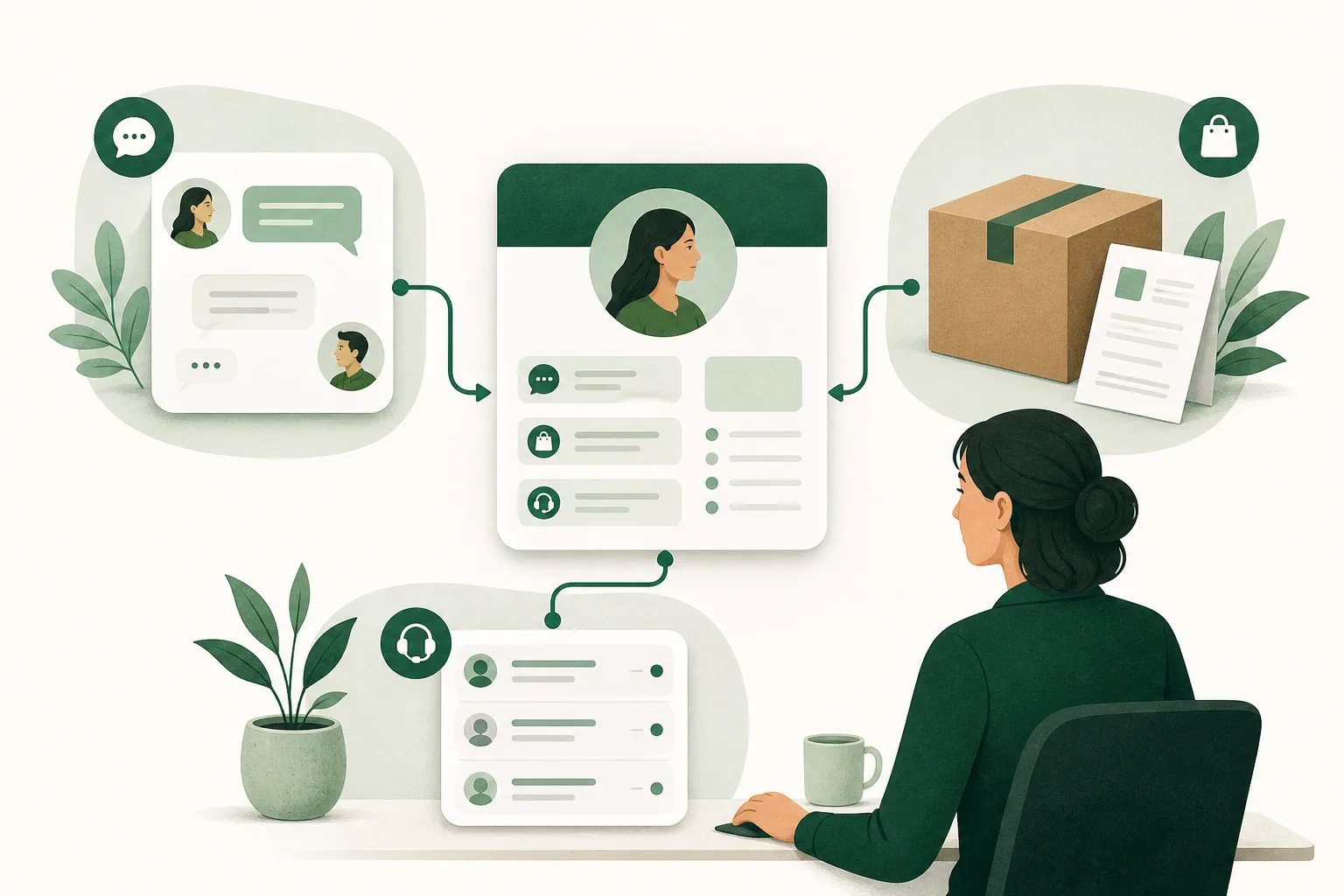
A CRM system is a central database + workflows for everything related to customer relationships: contact data, communication, deals, orders, support history, and segments. The real value: your team sees one truth and can automate follow-ups.
CRM in simple terms
One place that records who your customers are, what you agreed with them, and who takes the next step. That is the whole idea. Everything else a CRM can do — segments, reporting, automation — is an extension of those three sentences.
The term covers two things at once, which explains most of the confusion: CRM is a practice (recording and following up on customer contact) and the software that keeps track of it. Someone saying “we have a CRM” almost always means the second.
What is a CRM used for?
Six jobs a CRM actually takes over. If none of them sound familiar, you do not need one yet — that is a valid outcome.
- Deduplicating contacts. Three email addresses belonging to the same person become one record, so history stops fragmenting.
- Storing conversations. Email, chat, call notes and tickets sit under the same customer, whoever handled them.
- Guarding follow-up. Every promise gets an owner and a date instead of living in someone’s head.
- Telling customers apart. Segments based on order behaviour, open complaints or contract value decide who you help first.
- Making handovers possible. A colleague, a stand-in or a new hire reads the history back instead of interrogating the customer again.
- Surfacing patterns. Repeat questions, return reasons and customers going quiet only surface when you log them.
What a CRM does not do: sell for you, decide your process, or repair bad agreements. It records what happens and makes visible what does not.
What are the four basic principles of CRM?
The four principles almost every CRM course falls back on come from the IDIC model by Don Peppers and Martha Rogers: identify, differentiate, interact and customise. They describe a sequence rather than software — you cannot personalise what you never recognised.
-
1. Identify
Knowing who is reaching out. An address linked to a customer record is a customer; a loose address in an inbox is a stranger. This is the step most often left half-finished: the same person exists three times under three addresses.
-
2. Differentiate
Separating customers by value and by need. Someone ordering weekly represents a different stake than a one-off buyer, and a customer with an open complaint has a different need than one with a routine question.
-
3. Interact
Recording every contact in one place, whatever the channel. A conversation that starts in chat and ends in email should be one history. Without this step the next one is impossible.
-
4. Customise
Adapting treatment to what steps 1 through 3 taught you: a different response window, a different offer, a different tone. Customisation here is not the same as pasting a first name into a subject line.
Other sources count differently — you will also see the four R’s (relationship, retention, referral, recovery) or four pillars such as people, process, data and technology. The sequence stays the same in every variant: know who someone is before treating them differently.
CRM software vs CRM tools vs CRM system
CRM tools
Individual capabilities (e.g., contact management, email templates, segmentation).
CRM software
A product that bundles tools + workflows + permissions.
CRM system
The single source of truth including integrations with support and order data.
Pitfall
A CRM that’s just an address book → no ROI.
Customer Relationship Management (CRM) in practice
CRM isn’t about “more data”—it’s about better decisions: who needs attention, who’s at risk of churn, which issues repeat, and which segments repurchase. In ecommerce, CRM should connect to support: tickets, chat, and order context.
What does a CRM system deliver?
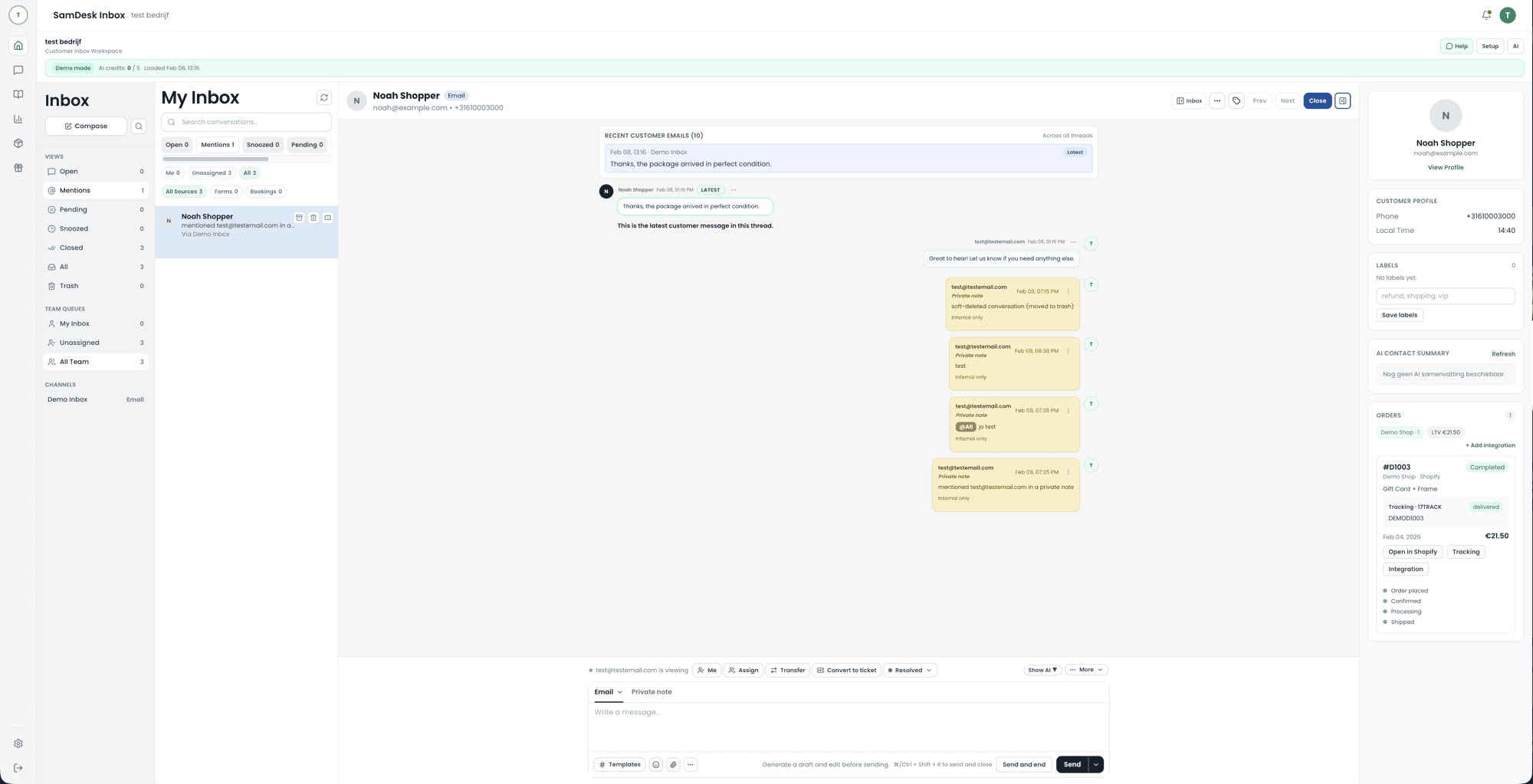
The gain is rarely “more overview”. It’s in the moments where someone still has to go looking. An agent who opens an email and immediately sees the last order, the open ticket and the earlier complaint doesn’t have to ask what the customer already explained.
Less handover loss
A colleague taking over reads the history instead of starting again — so the customer doesn’t repeat themselves.
Follow-up that doesn’t depend on memory
Promises get an owner and a date. “I’ll get back to you Monday” lives in the system, not in someone’s head.
Insight into what keeps returning
If the same question arrives twenty times a month, that’s a product signal, not a support problem. Without logging you never see the pattern.
Telling customers apart
Someone ordering five times a month deserves a different response time than a one-off visitor. That distinction needs history.
A caveat: a CRM won’t fix a messy process. If you log nothing today, tomorrow you’ll log mess — only faster.
Is Excel a CRM tool?
For one person with fifty customers: fine. A spreadsheet with a name, last contact and a note works for years. It breaks on three points, and always in this order.
- The second user. Two people in one file means overwriting, or two versions drifting apart.
- The history. A cell shows the latest state, not what was agreed last month. That’s exactly what you need during a complaint.
- The follow-up. A spreadsheet reminds you of nothing. Promises then live in your head or your inbox.
So switch when you feel that pain, not because a spreadsheet is somehow “unprofessional”. If it still works: keep it.
What is an example of a CRM system?
The best-known names are Salesforce, HubSpot, Microsoft Dynamics 365, Pipedrive and Zoho. They differ less in features than in what they’re built around: Salesforce and Dynamics target large organisations with dedicated admins, HubSpot and Pipedrive target sales at smaller teams, Zoho offers a broad suite at a low price. SamDesk sits elsewhere — customer contact and support as the starting point, not the sales pipeline.
There is no “number one”. There’s a system that fits how your team works. A support team handling questions gains little from a ten-stage sales pipeline, and a sales team gains little from response-time targets.
Which CRM systems exist? Ten well-known names
A top 10 ranked by “best” does not exist, because the answer changes per team. What does exist is a list of systems you will meet on almost any shortlist, together with what each one is built around. Read it as a sorting list, not a ranking.
The top 5 that lands on nearly every shortlist
Ask ten companies which CRMs they evaluated and these five come back nearly every time. That says something about market reach and marketing budget, not about which one is best for you. So the third column mainly tells you when to rule each one out.
| System | Built around | Rule it out when |
|---|---|---|
| Salesforce | Configurability for large organisations; every process can be shaped. | Nobody on your team owns administration as a job. |
| HubSpot | Sales and marketing in one suite, with a light entry point. | You only run support — you pay for hubs that sit idle. |
| Microsoft Dynamics 365 | Fit with the rest of the Microsoft stack and with ERP. | You are not already on Microsoft; you mostly buy complexity. |
| Zoho CRM | A broad module suite at a low price point. | You have no time to decide which modules to switch off. |
| Pipedrive | The sales pipeline: stages, deals and follow-up actions. | Customer questions, not deals, are your main workload. |
These five share one trait: they are designed around selling. If your day is driven by inbound customer questions, a support-first option such as SamDesk is the fairer comparison.
Ten names you will meet on any shortlist
- Salesforce — the reference for large organisations. Almost everything is configurable, which is exactly why you need someone to administer it.
- HubSpot — sales and marketing in one suite, popular with growing teams. Entry is light; cost climbs once you stack hubs.
- Microsoft Dynamics 365 — the logical pick when your organisation already runs on Microsoft and CRM and ERP need to sit close together.
- Zoho CRM — a broad suite at a low price. Many modules, which means deciding which ones you will not switch on.
- Pipedrive — built around the sales pipeline. Strong when deals are the work, thin as soon as support is the work.
- Freshsales — the CRM in the Freshworks family, attractive if you already run Freshdesk for support.
- Odoo — open source, with CRM as one module beside stock, invoicing and webshop. Attractive if you want one package, heavier to configure.
- Teamleader — a Dutch-Belgian player combining CRM, quotes and invoicing for SMBs and agencies.
- SuperOffice — a Northern European vendor with CRM and service combined, common in B2B services.
- monday CRM — CRM on top of a work-management platform. Flexible to shape, but you build what comes standard elsewhere.
The most-used CRM is a different question from the best one. Market overviews usually name Salesforce as the largest vendor, with Microsoft, HubSpot and Zoho behind it. For a team of five that tells you little: those figures are dominated by enterprise contracts that have nothing to do with how you handle your inbox.
Which free CRM systems are there?
Several vendors offer a free entry tier — HubSpot, Zoho and Bitrix24 among them — and Odoo can be self-hosted as open source. Limits and terms change regularly, so check them with the vendor before you put customer data anywhere. On a free plan, watch three things in particular:
- The user count. Free often stops exactly where your second colleague starts.
- The export. Can you pull out contacts and history in one go? If not, free is a one-way street.
- The integrations. Connections to your shop or inbox usually sit just above the free line — and that is exactly where the gain lives.
Looking for a free starting point for customer questions rather than for sales? See the free ticket system and free helpdesk software.
CRM or ERP: what’s the difference?
In short: a CRM looks outward, an ERP looks inward. The CRM covers the customer relationship — conversations, tickets, agreements, follow-up. The ERP covers operations — stock, purchasing, invoicing, accounting and sometimes HR.
| Question | CRM | ERP |
|---|---|---|
| Who uses it? | Support, sales, marketing | Finance, purchasing, logistics |
| Core question | What does this customer need? | Do our books add up? |
| Typical content | Conversations, tickets, segments | Stock, invoices, ledger |
| Where do they meet? | At the order. Support wants to see what was ordered and invoiced; finance wants to know why it was credited. | |
Most companies eventually need both, but rarely at the same time. If the pain is customers slipping away or questions going unanswered, start with the CRM. If it’s stock that doesn’t match or invoices going wrong, the ERP comes first.
What does a CRM system look like in practice?
Three situations you’ll meet in almost any shop or service business, and what the CRM actually does there.
“Where is my parcel?”
The question arrives via chat. Next to it sit the order, the shipping status and the earlier ticket about the same delivery. The agent answers without hunting through three screens — and sees this is the second time, so the tone should differ.
A return that escalates
Email, a phone call and a social complaint all concern the same return. In the CRM they sit under one customer, not as three separate cases. One owner, one agreement, one reply.
A customer going quiet
Someone who ordered monthly hasn’t ordered for two months. That signal comes from history, not a hunch — and it’s the difference between calling in time and noticing afterwards.
Which CRM features does a support team actually need?
- One customer view: contact + orders + tickets + conversations
- Workflows: ownership, SLAs, escalations, follow-ups
- Segmentation: VIP, return risk, churn signals
- Knowledge + templates: consistent replies, less repetition
- Measurement: FRT/TTR/CSAT + retention (not just “activity”)
What types of CRM exist? (operational / analytical / collaborative)
Operational CRM
Workflows, follow-ups, tasks, pipelines, automation.
Analytical CRM
Segments, churn signals, cohorts, LTV, dashboards.
Collaborative CRM
Sharing customer context across support, sales, and marketing.
CRM implementation in 14 days (without a months-long migration)
- Days 1–3: data model (contact fields), tags, basic segments.
- Days 4–7: integrations (store + inbox), templates, workflows (ownership + SLA).
- Days 8–14: dashboards + QA: measure FRT/TTR/CSAT and retention signals.
Moving existing customer data? See our guided CRM migration.
SamDesk vs classic CRMs (where support feels the difference)
Many CRMs (think HubSpot/Salesforce/Pipedrive) are built for sales. In ecommerce support, you need something else: order context next to the conversation, ticket history, and templates/workflows that reduce response times.
Classic CRM focus
Deals/pipeline, contact activity, marketing automation.
SamDesk CRM-in-support
Inbox + tickets + customer profile with order context + knowledge base + workflows.
FAQ: what is CRM?
What does CRM stand for?
CRM stands for Customer Relationship Management. It is the practice and software used to store customer data and manage customer relationships.
What is a CRM system?
Software that unifies customer data + processes, including follow-ups and integrations.
What does CRM mean for customer support?
Faster support via context (orders + history) and less repetition via templates/workflows.
What is a CRM tool, and what are examples?
A CRM tool is software that stores customer records and the work attached to them: contacts, conversations, orders, tasks and follow-ups. Common examples are Salesforce, HubSpot, Microsoft Dynamics 365, Zoho CRM, Pipedrive, Odoo and monday CRM. SamDesk sits on the support side of that list, with tickets and order context rather than a sales pipeline.
What is the #1 CRM platform?
By revenue and installed base, market overviews consistently put Salesforce first, with Microsoft, HubSpot and Zoho behind it. That ranking is set by enterprise contracts, so it answers “which vendor is biggest”, not “which one should I buy”. For a team of five handling inbound questions, the number one is whichever system shows the order, the ticket history and the open promise on one screen — that is a different competition.
What are the most popular CRMs?
The five that appear on almost every shortlist are Salesforce, HubSpot, Microsoft Dynamics 365, Zoho CRM and Pipedrive. Widen it to ten and you add Freshsales, Odoo, Teamleader, SuperOffice and monday CRM. Popularity here tracks marketing reach as much as fit, so use the table above to rule options out rather than to rank them.
Is Salesforce a CRM, or is it a CMS?
Salesforce is a CRM — it manages customer records, deals and service cases, and it is the product that popularised the category. A CMS (content management system, such as WordPress or Drupal) manages web pages instead. The two get confused because both are called “the system where our stuff lives”, but they hold different stuff: a CRM holds people and agreements, a CMS holds content. Salesforce does ship page-building tools inside its portals; that makes it a CRM with a content layer, not a CMS.
Is CRM difficult to learn?
Using one is not — most agents pick up a customer record and a follow-up task in an afternoon. Configuring one is the harder half: deciding which fields exist, who owns what, and which automations fire. Teams that struggle usually skipped that decision and adopted every default the vendor shipped.
Can I build my own CRM?
Technically yes, and a small internal database can outperform a bloated product for a narrow workflow. The cost is rarely the first version — it is the email sync, the deliverability, the audit trail, the GDPR requests and the person who maintains it after the builder leaves. Build when your workflow is genuinely unusual; buy when it is a normal customer queue wearing unusual vocabulary.
Will CRM be replaced by AI?
Unlikely, because the record and the reasoning are different jobs. AI drafts replies, summarises a thread and flags a pattern, but it still needs a system of record to read from — and someone has to be accountable for what was promised to whom. What changes is the interface, not the ledger. See AI in customer support for where that line currently sits.
