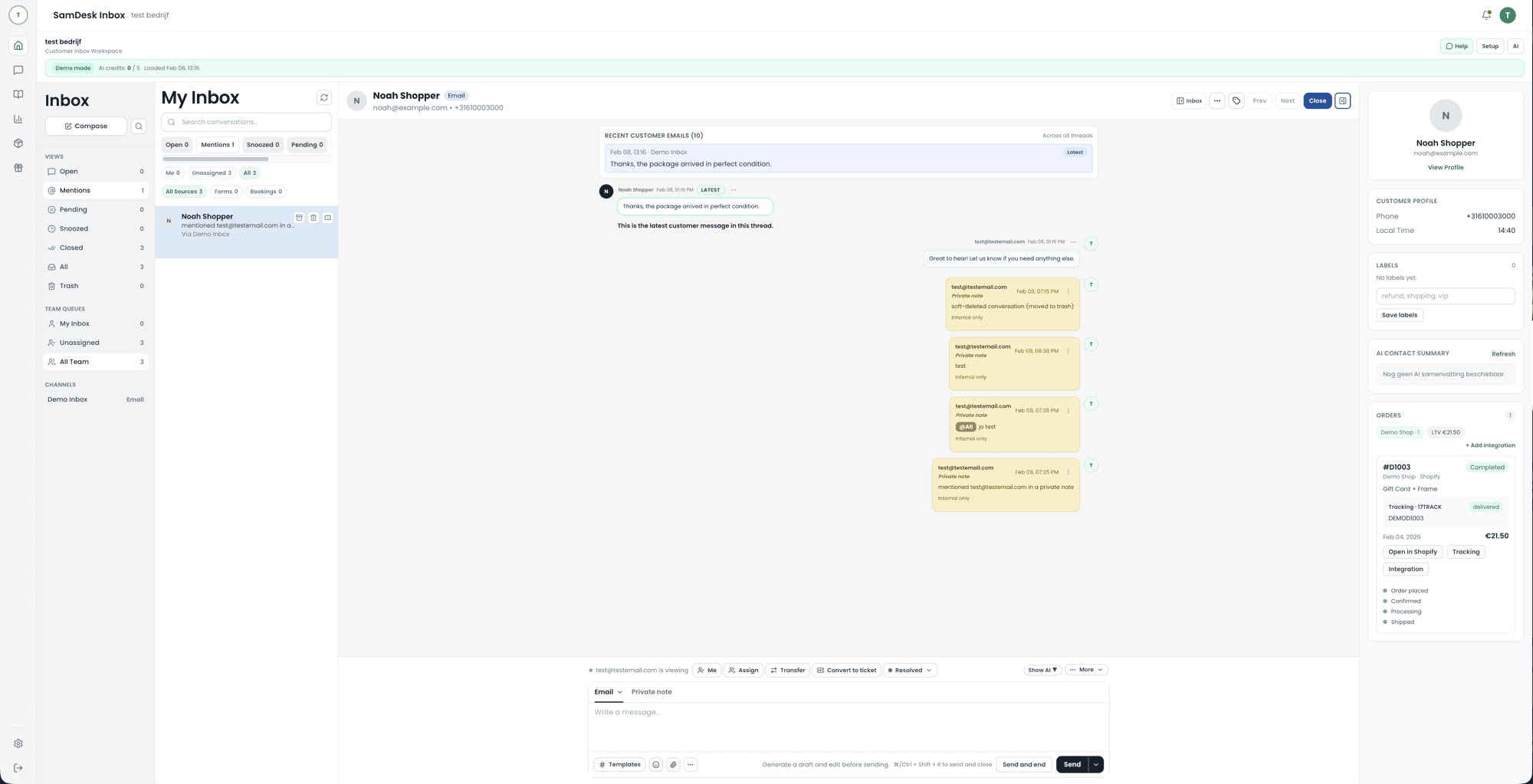
SamDesk customer service dashboard with inbox, workflow states, and team context
Migration Program
Message Sam on WhatsApp or email [email protected]. After that, we personally guide your team through CRM integration, setup, and go-live for your full customer service operation in SamDesk.
This is built for support leads and operators who want a low-risk migration path: you can run SamDesk in parallel with your current CRM until your team is ready.
Prefer email? Send your question to [email protected].
SamDesk customer service dashboard with inbox, workflow states, and team context
We centralize email, chat, and customer context into one operational inbox so your team works from one core workspace.
We convert your current process into clear ticket states, labels, priorities, and escalation rules.
We configure AI draft replies, summaries, and knowledge sources so speed and quality improve together.
We define which inboxes, workflows, and customer data move first and create a phased migration roadmap.
We connect your CRM/support stack to SamDesk and configure workflows, labels, AI features, and reporting.
Your team gets guided rollout support while SamDesk runs in parallel with your current CRM.
When KPI performance is stable, you complete the transition and optimize for speed, quality, and scale.
A four-step plan reads neatly, but the work sits underneath it. These are the four places migrations stall in practice, and how this program covers them. Walk through them before you pick a date: each one costs days if you discover it in go-live week.
Before anything moves, we record exactly what your source is and what it holds. An export from your current CRM is a snapshot, and your team keeps working between that snapshot and go-live. So we take a dated export you keep yourself, count records per type, and store those counts as a reference. After the import we compare the same counts, and anything that does not match shows up immediately.
Every CRM that has been running a while holds the same customer several times: once via the store account, once via a loose email address, once with a typo. Skip the deduplication and you move the mess along with the data, leaving agents to hunt the same history across two profiles. We decide together which field we match on and what happens with borderline cases.
Fields, statuses, and labels rarely translate one to one. A Zendesk status such as pending or on-hold, a custom priority field, or a pile of organically grown tags all need a home your team understands. We put that mapping table on paper instead of improvising it during the import, and drop whatever nobody uses. A migration is the cheapest clean-up you will ever get.
The parallel period only works with pass criteria agreed in advance. Without them, "it seems to be running fine" becomes the standard and the decision keeps sliding. We agree which checks must pass before inbound traffic switches over, and what the fallback is if one fails. That keeps the go-live decision a fact rather than a feeling.
Available after personal contact
If you choose the Growth yearly plan after personal contact, you get 2 months free on the annual plan.
Yes. After your WhatsApp message or email, we define scope and timeline, then begin phased integration.
A concierge migration service means a person guides your migration instead of you working through an import tool alone: a plan is made, data and workflows are moved together with you, and cutover happens only when your team is ready. At SamDesk it runs through personal contact with Sam: scope, timeline, setup, and go-live are walked through step by step.
Yes. The rollout is designed so you can run both systems in parallel before final cutover.
Teams that want to centralize their full customer service operation and scale with better control.
When you choose the Growth yearly plan after personal contact within the agreed implementation path.
Zendesk is customer service software: a ticketing system with channels, automation, a knowledge base, reporting, and a large app marketplace. It is not a sales CRM. In a migration, the real work sits in statuses, custom fields, macros, triggers, and SLA policies, because those rarely translate one to one.
No. Zendesk has no free plan, only a trial. Teams looking for a free entry point end up on capped free plans from other vendors or on self-hosted open source such as FreeScout, osTicket, or Zammad, where you take on hosting and maintenance yourself.
Usually yes, through the export and API routes of your current system. The parts that most often arrive incomplete are attachments, internal notes, and exact message chronology. We import a sample first and verify it against real conversations before switching inbound traffic.

Want to connect SamDesk to your workflow or need help choosing the right setup? Message Sam on WhatsApp or email [email protected].