Shopify apps: what people are really looking for
Searches like shopify apps, shopify app store, or shopify app marketplace usually mean: “I want to fix or automate something.” In support, it’s typically: inbox, returns, order status updates, and fewer repeat questions.
Shopify application (support)
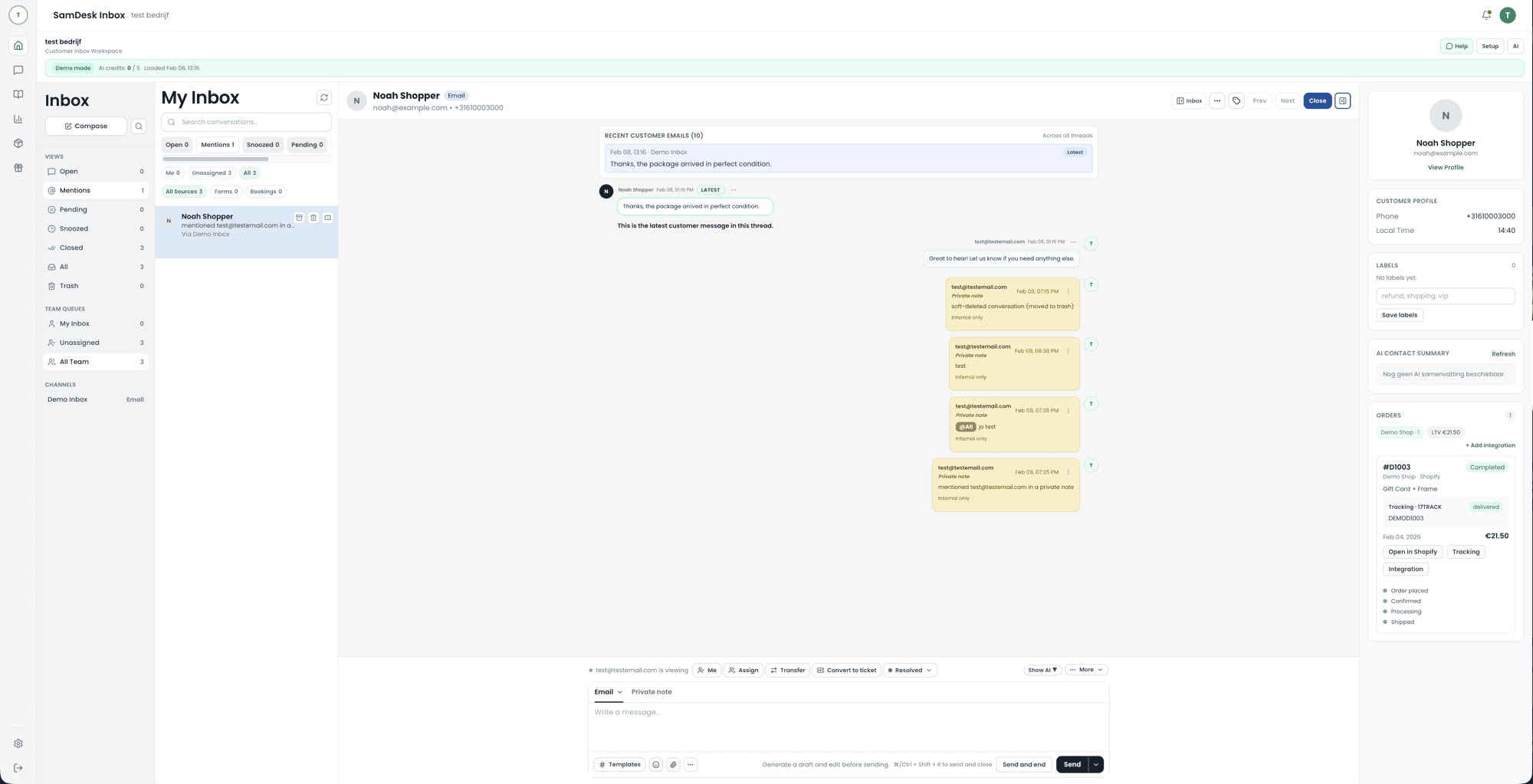
Connect support to orders so agents stop tab-switching.
Shopify help center (your own)
Knowledge base + snippets that deflect tickets.
Support for Shopify: the 10x checklist
- Order context next to every conversation (status, tracking, returns)
- Snippets + templates for top 20 questions
- Routing + ownership + SLAs per issue type
- Knowledge base: deflection + consistent answers
- AI drafts + summaries (guardrails)
WooCommerce helpdesk: what makes it different
In WooCommerce, your stack is often plugin-heavy. That means your help desk needs to be flexible (channels, routing, tags), but most importantly: show order context without friction. The foundation stays the same: inbox + tickets + customer profile.
WordPress, WooCommerce, and what it costs
WooCommerce and WordPress are not the same thing, and they do not compete. WordPress is the content system; WooCommerce is a plugin that adds a catalogue, cart, checkout, and order management on top. WordPress runs fine without WooCommerce; the reverse does not exist.
The plugin itself is free and open source. That does not make the shop free: the bill sits in everything around it. Expect hosting heavy enough for a store, a domain with a certificate, a theme, paid extensions for what the base install does not do (shipping rules, subscriptions, an accounting connection), your payment provider’s transaction fees, and maintenance. That last item is the one most often forgotten and the most structural in a plugin stack.
That plugin model is also the biggest drawback for a support team. One plugin update can hit checkout, and no single vendor is accountable when three plugins collide. You notice it in your inbox rather than in a changelog: a spike of “my payment fails” on a Tuesday morning. Agree up front who applies updates, and have support tag every incident so you can see afterwards which plugin costs you customer questions.
Ecommerce CRM: why support is the starting point
An ecommerce CRM should do more than send campaigns. Returns, delivery questions, and product issues show why customers leave or come back, so support history belongs next to customer and order data.
Shopify/WooCommerce support: integrations you actually need
The ecommerce trap is “too many apps.” A 10x setup has a small set of integrations that resolve tickets: orders, shipping, returns, and payments. Everything else is nice-to-have.
Orders & status
Line items, fulfillment, tracking, cancel/return status.
Returns & refunds
RMA flow, return labels, refund triggers.
Payments
Chargebacks, failed payments, fraud flags.
Self-serve
Knowledge base + order lookup → fewer tickets.
SamDesk vs Gorgias/Zendesk/Richpanel (ecommerce support angle)
In Shopify-land you’ll often compare Gorgias and Zendesk; Richpanel sits in-between with order/returns focus. SamDesk positions differently: one workflow for inbox + tickets + customer profile + knowledge, with fast ops setup and multilingual support.
Zendesk with WooCommerce: what that combination asks of you
Zendesk has no built-in WooCommerce connection; you work with a marketplace app or a custom API integration and verify yourself that order, customer, and return data reach the ticket. That can work well, but it is extra maintenance with every update of your store or of Zendesk. Compare that total cost with a help desk where the integration is built in: not only the monthly price, but the hours spent on maintenance and the moment a connection fails during peak season.
| Use case | Where teams get stuck | SamDesk approach |
|---|---|---|
| Order questions | Tab-switching between Shopify, shipping app, and help desk. | Order context next to ticket + templates/snippets. |
| Returns & refunds | Unclear ownership + manual updates. | Workflows: routing, SLAs, statuses, proactive updates. |
| Multilingual support | Inconsistent tone and translations. | AI drafts + translation + knowledge base guardrails. |
Shopify/WooCommerce support playbook (14 days)
- Week 1: tags + templates for shipping/returns/billing; routing + ownership; top-20 knowledge base.
- Week 2: SLAs + escalations; proactive order updates; AI drafts + QA samples.
- Measure: FRT, TTR, backlog, CSAT, and deflection rate.
FAQ: Shopify help / WooCommerce helpdesk
What’s the difference between Shopify help center and your own knowledge base?
Shopify’s help center is for Shopify. Your knowledge base is for your customers and your policies (returns, shipping, warranty).
Which Shopify apps matter most for support?
The ones that speed up order context and returns/refunds. Then add nice-to-have marketing apps.
What does WooCommerce cost?
The plugin costs nothing; the store does. You pay for hosting that can carry a shop, a domain and certificate, a theme, paid extensions for what the base install skips, your payment provider’s transaction fees, and maintenance. Count that last one in hours rather than a monthly figure — in a plugin stack it is the recurring item. We deliberately avoid quoting amounts: they vary too much by hosting, country and extension choice to work as a benchmark.
Is WooCommerce better than WordPress?
The comparison does not hold: WooCommerce is a plugin that runs on WordPress, not an alternative to it. WordPress works fine without WooCommerce; WooCommerce does not exist without WordPress. The real choice is WooCommerce versus a hosted platform such as Shopify — a trade-off between managing it yourself and having it managed.
What are the disadvantages of WooCommerce?
From a support angle the plugin model is the biggest drawback: no single vendor is accountable when updates collide, and a broken checkout shows up in your inbox before it shows up in a log file. You also carry hosting, security and performance yourself, and the number of parts needing maintenance grows with every extension. Against that, you keep ownership of your data and can change the shop without a platform’s permission.
How do I optimise WooCommerce so it generates fewer customer questions?
Optimisation usually gets asked as a speed question, but the tickets come from elsewhere. Tighten inventory management so you do not sell what you do not have. Make shipping rules and delivery times explicit on the product page rather than at checkout. Make sure order and shipping emails actually arrive — a large share of “where is my parcel” is a delivered email that landed in spam. Then tag every incident in your help desk so that after a month you can see which plugin costs you the most customer questions.
Which payment gateway is best for WooCommerce?
There is no single best, only a best for your market. Selling in the Netherlands makes iDEAL the method customers expect, so that is requirement one. After that, compare on aftercare rather than rate: can you refund yourself without raising a ticket with the provider, how fast do you see a failed payment, and are you notified on a chargeback? Those are exactly the moments a customer contacts you.
Support for multilingual Shopify stores
When you sell across markets, customer questions, translations, and order context need to stay in the same inbox. Evaluate Shopify apps on supported languages, agent handoff, and preservation of the original message.
