Sentiment Analysis: Identify and Prioritize Upset Customers
A share of your customers are unhappy but say nothing — until they leave. Sentiment analysis detects frustration before it becomes churn.
"I've been waiting TWO WEEKS and still no response. This is the last time I'm ordering from you."
An agent reads this message among twenty other tickets. She registers the urgency and treats it as priority. But what if she hadn't opened this particular ticket first? What if it had sat in the queue, waiting for its turn based on standard ordering? Two hours later, four hours later — every minute of wait time amplifies this customer's frustration.
Now a different message: "Hi there, I was wondering if you've received my return yet. Thanks in advance!" Same topic — an unprocessed return — but a completely different tone. This customer has patience. She can wait.
The problem: in an inbox with fifty tickets, both messages look the same. Same subject line. Same wait time. But the customer behind the first message is about to walk away, and the customer behind the second one is not. Without sentiment analysis, you treat them equally. With sentiment analysis, you know which customer needs attention right now.
What Is Sentiment Analysis and How Does It Work in Support?
Sentiment analysis is the technology that classifies the emotional tone of text. Positive, neutral, or negative — and with advanced models, also specific emotions like frustration, anger, disappointment, or satisfaction.
In customer service, it works like this: every incoming message gets analyzed before an agent opens it. The system reads the text, detects the emotional charge, and assigns a sentiment score. That score becomes visible in the inbox as a label, color code, or priority marker.
The technology behind sentiment analysis is natural language processing (NLP). The model is trained on millions of messages and recognizes patterns that indicate emotion. Capital letters ("TWO WEEKS"), punctuation (triple exclamation marks), specific words ("unacceptable", "never again", "disappointed"), and sentence constructions ("this is the third time I've had to...") are all signals.
But it goes beyond individual words. Context matters. "Fantastic" is positive. "Fantastic that I have to call again" is sarcastic and therefore negative. Modern models catch that difference. They don't look at words in isolation — they read the meaning of the entire sentence.
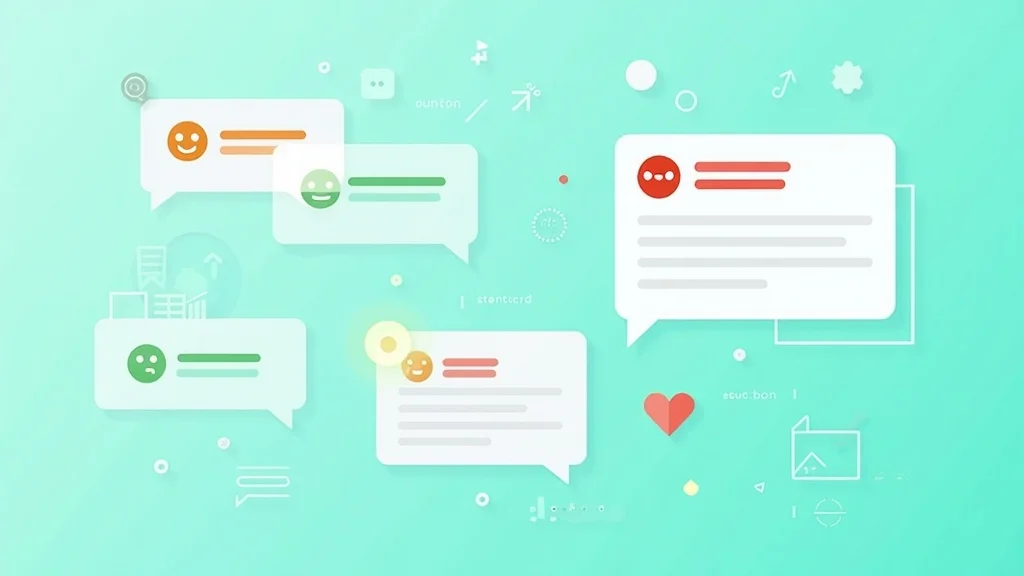
The output is simple and actionable. An agent opens her inbox and sees immediately which tickets have a red marker. Red equals negative sentiment. Orange equals rising frustration. Green equals satisfied customer. That visual overview changes how she plans her day.
Automatically Detecting and Escalating Negative Sentiment
Detection without action is useless. The point of sentiment analysis isn't knowing that a customer is upset — it's doing something about it.
The most powerful application is automatic escalation. Say you configure a workflow that states: if sentiment is negative AND the customer is a repeat buyer, escalate the ticket to a senior agent. No manual triage needed. The system recognizes urgency and routes the ticket automatically.
Three escalation levels that work well in practice:
Level 1: Negative sentiment, first message. The customer sounds frustrated but this is the first point of contact. Action: the ticket gets elevated priority and a sentiment label so the agent knows to bring extra empathy. No escalation, but extra care.
Level 2: Rising negative sentiment. The customer started neutral or mildly frustrated, but the tone has grown more negative across multiple messages. That signals the current handling approach isn't working. Action: automatic notification to the team lead with a conversation summary. The lead decides whether to take over or provide coaching.
Level 3: Strongly negative sentiment from a high-value customer. A customer who spends more than $3,000 annually and now sounds furious. More is at stake here than a single ticket — you're risking a valuable customer relationship. Action: direct escalation to a senior agent or team lead, with full context and summary of the conversation.
By automating these levels, your triage team doesn't have to manually assess every message. The system handles the initial screening. Agents spend their energy on the customers who need it most.
Prioritization Based on Urgency and Emotion
Traditional ticket priorities are based on wait time. First ticket in, first ticket out. FIFO — first in, first out. That's fair, but not smart.
A customer who submitted a friendly sizing question ten minutes ago sits ahead in the FIFO queue of a customer who wrote two minutes ago: "If I don't get my money back today, I'm filing a complaint with the BBB." Purely on wait time, the first customer deserves priority. On urgency and emotion, it's the opposite.
Sentiment analysis enables intelligent prioritization. You combine three factors:
Factor 1: Sentiment. Negative sentiment raises priority. The more negative the sentiment, the higher the urgency. A message containing words like "furious" or "for the last time" weighs heavier than "a bit disappointed."
Factor 2: Customer value. Not every customer has the same commercial impact. A customer with ten orders and a lifetime value of $4,000 warrants more attention than a first-time buyer with a $15 order. That sounds harsh, but it's reality. Resources are limited, and you have to allocate them where they produce the most effect.
Factor 3: Escalation risk. A customer who threatens a bad review, a complaint to a consumer protection agency, or canceling a subscription poses an acute risk. Sentiment analysis detects these threats and escalates automatically. Not because the threat is always credible, but because the cost of not responding exceeds the cost of responding quickly.
The combination of these three factors creates a dynamic priority queue. Tickets move up and down based on real-time sentiment data, customer profile, and escalation risk. Your team always works on the ticket that's most urgent at that moment.
Informing the Agent Without Alarming Them
Sentiment data is valuable, but how you present it to agents makes the difference between a useful tool and a stress factory.
An inbox full of red flags creates anxiety. If every third ticket screams "NEGATIVE SENTIMENT," the agent becomes either desensitized or stressed. Neither is productive.
The best implementation is subtle yet informative. A color-coded label next to the ticket. A brief line in the contact summary: "Customer sounds frustrated. Two previous contacts about the same issue." No alarm bells, but enough context to adjust the tone of the response.
What agents need when facing negative sentiment:
Context. Why is the customer angry? Not just the sentiment label, but the reason behind it. "Customer has been waiting 12 days for return processing" is more useful than "sentiment: negative."
Suggestions. How do you respond to an upset customer? Experienced agents know this, but junior agents don't always. A brief suggestion — "Acknowledge the frustration, apologize for the wait, provide a concrete solution with a timeline" — goes a long way.
Authority. Can the agent offer compensation on their own? Can they arrange express shipping? When an agent knows that for negative-sentiment tickets, they can automatically offer a 10% discount without approval, they respond faster and more decisively. Nothing frustrates a customer more than an agent saying "I need to check with my manager" when they're already on the verge of leaving.
Sentiment data empowers agents. It gives them the information and authority to resolve difficult situations independently. That improves not just the customer experience, but also the agent's job satisfaction.
Sentiment Trends Over Time: Recognizing Patterns
Individual sentiment scores are useful for daily prioritization. But the real strategic value lies in sentiment trends over time.
Product-related sentiment. If sentiment around a specific product is consistently negative, you likely have a product quality issue. Maybe the product breaks after three months. Maybe the color doesn't match the photo. Sentiment analysis by product category makes this visible before it escalates into a wave of negative reviews.
Seasonal sentiment. Around holidays and peak periods, negative sentiment climbs noticeably. Delays increase, expectations run higher, and customers have less patience. Knowing this pattern lets you prepare: schedule more agents, set up proactive delay notifications, and tighten the escalation protocol.
Agent-related sentiment. If tickets handled by a specific agent consistently end with more negative sentiment than they started with, that's a coaching signal. Not to punish the agent, but to help. Maybe they lack empathy in their communication. Maybe they respond too slowly to urgent tickets. Sentiment data makes it objective and discussable.
Process-related sentiment. If return-related tickets consistently carry negative sentiment, your return process is probably too slow or too confusing. The sentiment points you to the process that needs improvement. That's more valuable than a customer satisfaction survey you run once a quarter.
Case Study: How Sentiment Analysis Prevents Churn
An online home goods retailer — 15,000 orders per month, team of 8 agents — implemented sentiment analysis as part of their helpdesk setup. Here's what changed.
Month 1: Baseline. Average 340 tickets per day. No sentiment data available. Prioritization entirely FIFO-based. Churn rate among customers who contacted support: 23%. Average CSAT score: 3.6 out of 5.
Month 2: Detection. Sentiment analysis activated. The team discovered that 18% of tickets carried negative sentiment. Of those, 40% came from repeat customers — precisely the group with the highest churn risk. The surprise: most negative tickets weren't about product defects but about communication gaps. Customers who waited too long for a reply. Customers who had to explain the same issue multiple times. Customers who received a promise that wasn't kept.
Month 3: Action. The team configured automatic escalation for negative sentiment from repeat customers. Senior agents received these tickets directly, with sentiment context and conversation summaries. They were given authority to offer compensation up to $30 without approval.
Month 4: Results. Churn rate among support customers dropped from 23% to 14%. CSAT score rose from 3.6 to 4.1. Average handle time on negative-sentiment tickets decreased by 22% because agents no longer needed to escalate to a manager for a compensation decision.
Implementation cost: the helpdesk subscription they were already paying for, plus two hours of workflow configuration. The savings: an estimated $14,000 per month in retained customer value. The ROI turned positive in week two.
Implementation: From Zero to Sentiment in Three Steps
You don't need to be a data scientist to implement sentiment analysis. With a modern helpdesk like SamDesk, it's a feature you activate, not a project you build.
Step 1: Activate sentiment analysis. Toggle the feature on in your helpdesk settings. From that moment, every incoming message gets automatically analyzed. The sentiment score appears next to the ticket in your inbox. This takes five minutes.
Step 2: Configure workflows. Decide what should happen when sentiment is negative. Automatic escalation? Higher priority? Notification to team lead? Set up workflows that fit your team size and structure. Start simple: a single workflow for "strongly negative sentiment from a repeat customer." You can expand later.
Step 3: Train your team. Explain what sentiment labels mean and how agents should use them. Emphasize that it's a tool, not a judgment. A ticket with negative sentiment isn't a "difficult customer" — it's a customer who deserves extra attention. That framing makes all the difference.
After 30 days, analyze the impact. Compare handle times, CSAT scores, and escalation rates against the pre-implementation period. The data will tell you whether your workflows need tightening and where the biggest gains are.
Frequently Asked Questions
How does sentiment analysis work technically?
Sentiment analysis uses natural language processing (NLP) to classify the emotional tone of a message. The model analyzes word choice, sentence structure, and context to determine whether a message is positive, neutral, or negative. Advanced models also detect specific emotions like frustration, anger, or disappointment.
Is sentiment analysis reliable enough to base decisions on?
Modern sentiment models are reliable enough to use as a prioritization tool, but not as the sole decision factor. Have a colleague review a hundred scored tickets to see how well the model performs on your customer questions. Combine sentiment signals with other data like customer value, ticket history, and wait time for a complete picture.
Does sentiment analysis work across different languages?
Yes. Modern NLP models support multiple languages. They recognize language-specific expressions and nuances in tone. Accuracy is comparable across supported languages, including English, Spanish, German, French, and Dutch.
Need help with SamDesk?
Message Sam on WhatsApp or email info@samdesk.nl. We can help you choose the right setup.
Message on WhatsApp